
Customer service teams across industries face mounting pressure as call volumes surge while customers demand faster, more personalized support. Traditional call centers struggle to balance efficiency with quality, often leaving agents overwhelmed by repetitive tasks and customers frustrated with long wait times. The solution lies in strategically implementing AI to handle routine inquiries while empowering human agents to focus on complex issues that require empathy and problem-solving skills.
AI-powered systems can automatically process common requests like appointment scheduling, order status updates, and basic troubleshooting, dramatically reducing queue times and improving customer satisfaction. This technology doesn't replace human agents but enhances their capabilities by filtering out predictable interactions and routing complex cases to the right specialists. For businesses ready to transform their customer support operations, conversational AI offers a proven path to scalable, efficient service delivery.
Summary
- Call center AI fails because teams treat it like software to install rather than a system to integrate into existing workflows. RAND found that around 80% of AI projects fail, nearly double the failure rate of typical IT initiatives, with nearly half of executives unable to quantify any return from their AI spending. The pattern repeats across industries: virtual agents are deployed without escalation paths, routing tools send customers to the wrong queue due to inconsistent data, and sentiment analysis misses the mark because transcripts are messy.
- Poor data quality undermines AI performance before deployment even begins. CMSWire reports that 67% of call centers face challenges in training AI systems with high-quality data, leading to CRM entries in inconsistent formats, customer names spelled differently across accounts, and purchase histories fragmented. When you feed messy data into an AI model, it learns chaos rather than organizing it, causing bots to misinterpret requests and routing tools to send calls to the wrong queues.
- AI chatbots can handle up to 80% of routine customer queries according to IBM's 2024 research, but only when escalation rules are explicitly defined. The critical piece most implementations miss is knowing when to hand off to a person: after two failed resolution attempts, when sentiment drops below a threshold, or when the customer explicitly requests an agent. Without these guardrails, customers get trapped in automation loops that erode trust faster than any efficiency gain can justify.
- Companies using AI-powered customer service see a 40% reduction in average handling time, according to Forbes research from 2026, but that efficiency only materializes when the learning loop is closed. AI effectiveness depends on system design, not just model capability. The architecture must connect data across touchpoints, incorporate feedback mechanisms, and adapt routing logic as support strategies evolve, turning post-call analysis into actionable improvements rather than unused reports.
- Only 24% of frontline agents feel AI plays a central role in their daily work, meaning three-quarters of staff see AI as something that exists in the building but doesn't actually support them. When agents don't trust the system, they route around it. When customers sense the bot can't help, they demand a person immediately. The technology becomes background noise rather than operational leverage, creating more work rather than reducing it.
- Conversational AI addresses this by building escalation logic and workflow integration from the start, routing routine inquiries autonomously while passing complex or emotional issues to trained agents with full context already captured.
Why Most Call Centers Struggle to Use AI Effectively in Customer Service
Why do AI implementations fail in call centers?
AI fails in call centers because leaders treat it like software to install rather than a system to integrate. The assumption: buy the platform, turn it on, watch costs drop. What happens instead? Customers get stuck in loops, agents spend more time fixing mistakes than they save, and the return on investment never materializes.
According to CMSWire, only 35% of contact centers have successfully integrated AI across multiple touchpoints. The rest are running stalled pilots, deploying frustrating bots, or watching expensive tools sit unused.
What foundation does AI need to succeed?
The problem isn't the technology: it's the belief that AI works independently. You can't deploy a virtual agent into a call center with messy data, no escalation rules, and untrained staff, then expect success.
AI needs clean information to work with, clear steps to follow, and humans who know when to take over. Without that foundation, you get broken processes, unhappy employees, and customers who would rather wait on hold than deal with another unhelpful chatbot.
Why do most AI projects fail to deliver results?
RAND found that around 80% of AI projects fail—nearly double the failure rate of typical IT initiatives. These failures fade quietly: a pilot stalls in testing, a bot launches but agents route around it, customers find workarounds. Nearly half of executives admit they can't measure any return from their AI spending, a fundamental gap between what was sold and what works.
What happens when AI implementations go wrong?
Virtual agents stop incoming calls but lack handoff capabilities, leaving customers trapped in repetitive loops and more frustrated when they call back. Routing tools misroute calls when the underlying data shifts. Sentiment analysis fails on messy transcripts. Each failure erodes trust. Agents abandon the system. Customers demand human agents immediately. The AI becomes expensive and unused.
Why does poor data quality sabotage AI performance
AI performs only as well as the information it learns from. Duplicate CRM entries, incomplete call recordings, and siloed systems cause AI to fail regardless of model sophistication. CMSWire reports that 67% of call centers struggle to train AI systems with quality data. This determines whether a bot understands customer intent or forces customers to repeat themselves before abandoning the interaction.
How do inconsistent data systems impact real customer interactions
A retail bank rolling out an AI assistant with years of inconsistent data entry—names spelled differently across accounts, fragmented purchase histories—cannot authenticate users reliably. Agents must intervene, extending call times rather than reducing them. Until data gets standardized and systems are integrated, AI operates without proper visibility.
When AI Becomes the Problem It Was Supposed to Solve
Most call centers assume AI will reduce workload. Instead, agents spend their day cleaning up after the bot: fixing incorrect routing, outdated information, and failed escalations. Morale drops when the tool meant to help creates more work than it saves.
How can AI systems handle escalations more effectively?
Platforms like conversational AI handle this differently by building escalation logic and workflow integration from the start. They route routine questions to automated systems while passing complex or emotional issues to trained agents who already have all the necessary information. This enables faster resolution without forcing staff to decipher what the AI attempted and failed to accomplish.
Why don't agents trust AI systems in their workflow?
The trust gap is real. Only 24% of frontline agents feel AI plays a central role in their daily work. When agents don't trust the system, they circumvent it. When customers sense the bot can't help, they request a person immediately. The technology becomes background noise rather than a useful business tool.
Understanding why AI fails is only half the picture. The harder question is what happens when it works.
Related Reading
- How to Use AI in Customer Service
- How Does AI Improve Customer Service
- How Can Ai Help Customer Service
- AI in Customer Communications For Telecommunications
- How Is Ai Improving Restaurant Customer Service
- AI in Customer Communications in the Insurance Industry
- Ai Agent Challenge In Customer Support
- Ai Appointment Scheduling Healthcare
- Benefits of AI in Customer Support
- Ai Customer Support Implementation Best Practices
- How Ai Is Changing Customer Service In Telecom
How AI Actually Works Inside a Modern Customer Service Call Center
AI in customer service works as a decision-support and automation layer built into existing workflows. It handles pattern recognition while routing complex issues to humans. The system comprises several functional layers: intent detection, call routing, automated responses, agent assist tools, sentiment analysis, and post-call summarization. Each layer connects to your CRM, knowledge base, and ticketing systems, creating an intelligence fabric that enhances your existing infrastructure.

🎯 Key Point: AI doesn't replace your current systems—it enhances them by adding intelligent automation and decision-making capabilities at every touchpoint.
"AI-powered customer service systems can reduce response times by up to 90% while maintaining human oversight for complex issues." — Customer Service Technology Report, 2024
💡 Best Practice: Start with intent detection and call routing as your foundation layers, then gradually add more sophisticated features like sentiment analysis and agent assist tools.
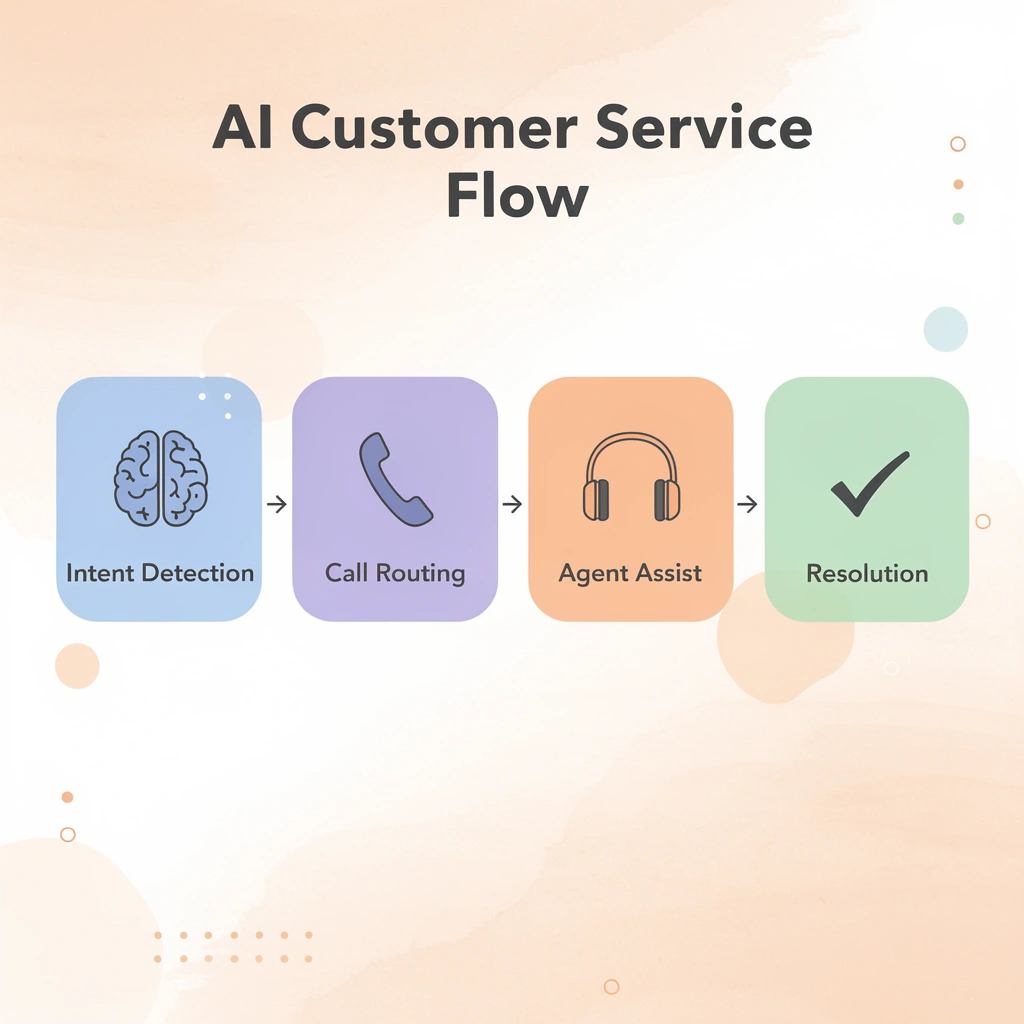
AI Layer
Intent Detection
- Identifies customer needs
- Routes to appropriate agent
Call Routing
- Directs conversations
- Escalates complex cases
Agent Assist
- Real-time suggestions
- Enhances human decisions
Sentiment Analysis
- Monitors emotional tone
- Alerts for intervention
Post-Call Summary
- Automates documentation
- Feeds CRM updates
Intent Detection and Initial Classification
When a customer reaches out, AI analyzes incoming messages or calls in milliseconds to classify the request as a billing question, a technical issue, an account change, or a product inquiry. Natural language processing scans for keywords, phrases, and context clues, tagging the interaction with intent markers and sentiment indicators. If the query matches known patterns, the AI immediately surfaces relevant articles or troubleshooting steps. If sentiment analysis detects frustration or urgency, it flags the case for priority handling.
Intelligent Routing and Escalation Logic
Once intent is classified, the routing layer directs the interaction accordingly. Routine questions go to automated responses or chatbots trained on your knowledge sources. According to IBM's 2024 research, AI chatbots handle up to 80% of routine customer queries, leaving agents to handle only cases requiring human judgment. Complex issues are routed to specific teams based on expertise, workload, and past resolution patterns.
Most implementations lack escalation rules. AI needs clear instructions for handoff to a person: after two failed resolution attempts, when sentiment drops below a threshold, or when the customer requests an agent. Without these guardrails, customers get trapped in automation loops that damage trust faster than efficiency gains justify.
Real-Time Agent Assist During Live Interactions
While an agent handles a call or chat, AI provides real-time support without taking over. It transcribes voice calls, enabling the system to track customer sentiment and identify key phrases as they occur. If a customer mentions a competitor or requests cancellation, the system alerts the agent and displays retention offers or relevant talking points from the knowledge base.
AI automatically pulls up customer history, highlighting past issues, attempted solutions, and outcomes, rather than forcing agents to dig through records. When agents need to draft responses, AI generates templates aligned with your brand voice that agents personalize, preventing burnout from repetitive typing while maintaining the human touch.
How do conversational AI platforms handle initial interactions?
Conversational AI platforms handle first-call interactions, gathering information and solving straightforward requests before transferring complex cases to live agents with full context already captured. This reduces handling time without requiring customers to repeat themselves, addressing the frustration of traditional IVR systems.
Post-Call Analysis and Continuous Learning
After each interaction closes, AI performs follow-up work that previously consumed hours of agent and supervisor time. It summarises the conversation, extracts key issues and resolutions, and updates the customer record across connected systems.
Sentiment analysis flags cases where customers remained frustrated despite technical resolution. These insights feed routing algorithms, helping the system learn which agents handle specific issue types most effectively.
What efficiency gains can companies expect from AI learning loops?
According to Forbes research from 2026, companies using AI-powered customer service see a 40% reduction in average handling time, though this efficiency requires a closed learning loop.
The system must connect data across touchpoints, include feedback mechanisms, and adapt routing logic as your support strategies evolve. The real test isn't whether AI can answer questions—it's whether your team can use it without disrupting established workflows.
Step-by-Step Guide on How to Use AI for Customer Service Call Center Without Breaking Operations
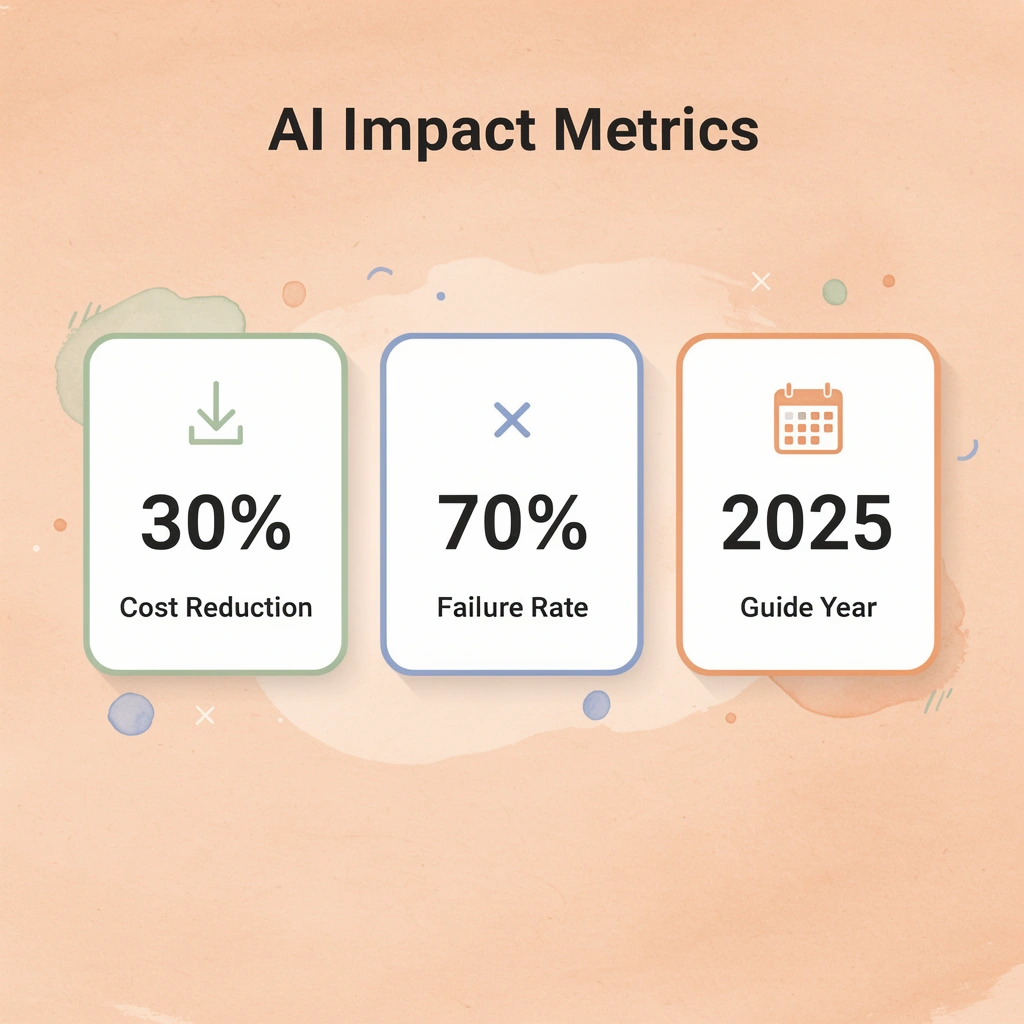
Voice AI fails not because the technology isn't ready, but because teams treat deployment like installing software instead of redesigning workflows. According to twin-ai.com, AI can reduce operational costs by up to 30%, but only when implementation follows a structured sequence that accounts for how work happens, not how org charts prescribe it.

"AI can reduce operational costs by up to 30%, but only when implementation follows a structured sequence that accounts for how work actually happens." — Twin AI Implementation Guide, 2025
🎯 Key Point: The difference between successful AI deployment and costly failures isn't the technology itself—it's treating implementation as a workflow transformation rather than a simple software installation.
⚠️ Warning: Most call centers approach AI integration with the wrong mindset, focusing on technical setup instead of operational redesign, which leads to resistance, inefficiencies, and failed adoption.
1. Personalize chatbot interactions beyond rule-based responses
Traditional chatbots work like vending machines: press B3, get the same answer every time. Conversational AI changes this by examining real-time customer data (purchase history, browsing behavior, account status) to customize responses on the fly. When a customer asks about a return, the virtual agent retrieves their last order automatically and asks, "Is this the item you need help with?" instead of making them search through confirmation emails for an order number. That 30-second time saving compounds across thousands of daily interactions.
2. Enhance voice assistance with dynamic IVR menus
Static IVR menus force every caller through the same set of choices. Dynamic systems recognize callers by their number, check recent activity (failed login attempts, browsing history, pending transactions), and prioritize relevant options. A customer locked out after three incorrect password attempts hears the reset option immediately, rather than navigating questions about account balance and branch locations. The system determines the caller's needs based on their actions rather than their stated requests.
3. Route customers efficiently using browsing and interaction data
Routing based solely on skills-based criteria (billing team, technical team, Spanish-speaking agents) misses important context. AI-powered routing analyzes what the customer was doing before contacting support. Someone who spent five minutes on the international ATM fees page before starting a chat gets routed to an agent with international banking expertise. The customer avoids repeating their question, the agent avoids transferring them, and the problem gets solved in one interaction instead of three.
How do agent assist tools analyze customer intent in real time?
Agent assist tools analyze customer needs in real time from voice or text input, display relevant FAQ articles, troubleshooting steps, or product information in the agent's workspace, and suggest customizable response templates. This eliminates pauses that extend handle time and create awkward silence, enabling agents to maintain conversation flow while accessing information.
What impact does voice-based intent detection have on response times?
Solutions like conversational AI combine voice-based intent detection with knowledge-base queries, reducing response time from 20 seconds to under 3 seconds. Teams using conversational AI report fewer escalations because agents can resolve issues they would have previously transferred to specialists.
5. Predict customer needs using inferred and predictive traits
AI extracts two types of behavioral signals from customer data. Inferred traits derive from actions: a customer who repeatedly buys running gear is likely a runner. Predictive traits forecast future behavior based on past patterns: a customer who upgrades their phone every 24 months and is approaching that cycle will likely upgrade soon. Virtual and live agents use these traits to anticipate customer needs before customers articulate them and to proactively mention upgrade eligibility when relevant, rather than waiting to be asked.
6. Identify cross-sell and upsell opportunities based on purchase history
A customer asks about hoodie sizing. The agent answers and completes the sale. With AI assistance, the agent sees that the customer previously bought a beanie and left a positive review, and the system identifies a matching beanie featuring the customer's sports team logo. The recommendation draws on the customer's past preferences and satisfaction levels. The customer adds it to their cart, increasing revenue per interaction without the exchange feeling transactional.
7. Improve self-service resources using generative AI to fill content gaps
AI identifies content gaps by analyzing patterns in customer questions, then generates FAQ entries to address them. A human reviewer ensures accuracy and brand consistency. The tool also condenses existing content, converts dense paragraphs into scannable bullet points, and reorganizes articles for faster comprehension. Self-service deflection rates improve because documentation answers customers' questions in formats they can quickly consume.
8. Translate in real time to support global customers without multilingual agents
Language barriers limit reach when live agents speak only one or two languages. Real-time translation tools detect the customer's input language, translate it for the agent, then translate the agent's response back to the customer. Both parties communicate in their preferred language without delay. This expands capacity so a Spanish-speaking agent can assist a Mandarin-speaking customer during volume spikes or when specialized knowledge is required.
9. Analyze customer sentiment for routing, insights, and proactive escalation
Sentiment analysis operates across two time periods. Real-time detection identifies frustration or urgency in tone and word choice, routing conversations to live agents with full context before customers request escalation. Post-conversation analysis collects sentiment data to identify systemic issues: product defects generating negative feedback or policy changes causing confusion. Teams route high-risk conversations to experienced agents and identify patterns revealing operational problems requiring cross-departmental solutions.
10. Summarize customer interactions automatically to preserve context and reduce agent workload
Writing summaries by hand takes three to five minutes per call. When agents handle hundreds of calls daily, they spend many hours writing notes instead of talking to customers. AI-created summaries capture essential information—the customer's problem, how it was resolved, their sentiment, and next steps—and add it to the customer's file. The next agent can read a two-sentence summary instead of listening to a 12-minute call recording. This helps agents better understand customers, increase productivity, and eliminate customer repetition.
What metrics should you track to measure AI implementation success?
Track average handle time reduction (target: 15-25%), first-call resolution improvement (target: 10-15% increase), escalation rate changes, and cost per interaction. These metrics reveal whether AI shortens workflows or adds unnecessary steps. Implementation follows a feedback loop: deploy, measure, adjust routing logic, refine response templates, retrain models on new data, and redeploy.
The question isn't whether your AI can answer questions. It's whether your team knows what happens when it can't.
Related Reading
- How To Improve Call Center Customer Service
- Best Ai Tools For Customer Support In Healthcare
- Ai Customer Support Automation In Telecom
- Best Ai Customer Support Tools For It Teams
- It Helpdesk Automation
- Patient Support Services Automation
- How To Use Ai To Improve Customer Service Kpis
- Best Voice Ai For Restaurants
Common Mistakes When Using AI in Customer Service and How to Avoid Them
When AI projects fail in call centers, the root cause is usually how they're set up, not the technology itself. Teams deploy chatbots without handoff mechanisms to human agents, establish routing systems without monitoring, or use voice AI in isolation rather than as part of a broader process. These design flaws create problems before customers interact with the system.

🔑 Takeaway: The most common AI failures stem from poor integration planning rather than technical limitations. Always design your AI systems as part of a comprehensive customer service strategy.
"85% of AI implementation failures in customer service are attributed to inadequate planning and integration issues, not technology shortcomings." — Customer Service Technology Report, 2024
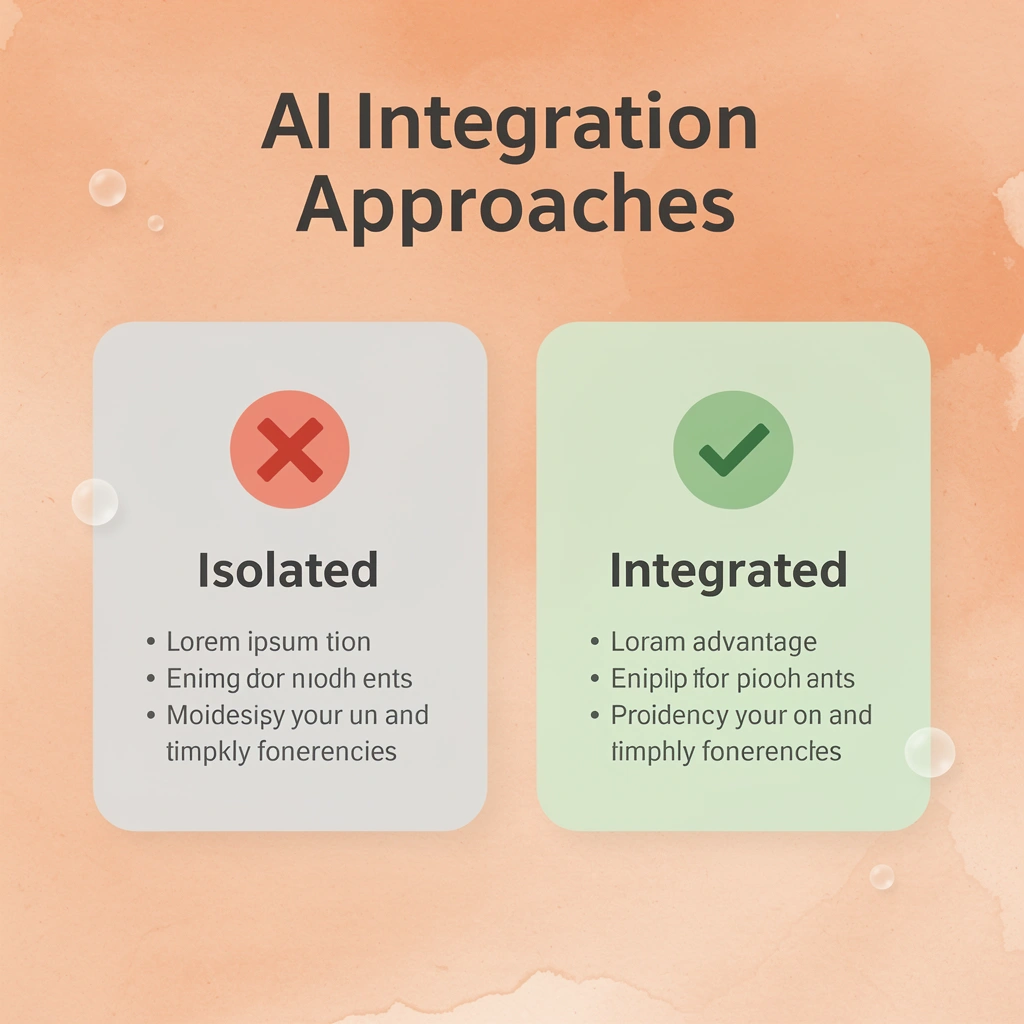
⚠️ Warning: Deploying AI tools in isolation without human oversight and escalation pathways is a recipe for customer frustration and brand damage.
What happens when automation lacks proper escalation paths?
The most expensive mistake is building a system that can't admit when it's stuck. According to Entrepreneur's analysis of AI customer service failures, 80% of customers expect immediate responses, yet most AI systems lack clear handoff protocols. When a customer asks a billing question the bot wasn't trained on, it loops through clarifying questions instead of escalating immediately, causing the customer to abandon the interaction.
How should effective systems handle AI limitations?
Good systems define failure states upfront. If the AI's confidence score drops below a threshold, a customer uses frustration keywords, or the interaction exceeds a set number of turns without resolution, the system escalates to a human agent with full context. The difference isn't whether AI can handle every scenario—it's whether your system knows when it can't.
What makes training data quality so problematic in contact centers?
Clean data is the foundation on which AI runs, and most contact centers are building on sand. CRM entries use inconsistent formats, historical call records lack proper tagging, and customer interaction data sits fragmented across ticketing systems, chat logs, and phone transcripts.
When you feed that mess into an AI model, it learns to cope with the chaos. Bots misinterpret requests because similar issues were tagged five different ways. Routing tools send calls to the wrong queue because the data defining "billing issue" conflicts with the CRM's categorization.
How can you fix siloed systems before AI deployment?
Ensure interactions are logged consistently and remove old records before implementing AI. Establish uniform tagging rules across all channels.
Platforms like conversational AI work best when integrated with unified data sources, pulling real-time context from CRM systems, knowledge bases, and interaction histories. Our conversational AI solution helps you avoid automating problems at scale by establishing a solid data foundation first.
Why do AI tools fail when deployed in isolation?
AI doesn't work well in isolation, yet teams deploy it alone. A website chatbot disconnected from the CRM can't access open support tickets. Voice AI handles inbound calls but can't access order history, so every interaction starts from zero.
The tools work technically, but they don't work together, creating friction when customers repeat themselves. Salesforce research shows that 73% of customers expect companies to understand their unique needs, yet siloed AI systems guarantee the opposite.
How should teams approach AI integration planning?
Effective implementation starts by auditing your tech stack: What systems need to share data immediately? Where does information get lost between channels? Which integrations does AI require to deliver value?
The goal is to shorten the time between a customer's question and a useful answer, which requires AI to pull from every relevant source without manual handoffs or data gaps.
Why do vendor-dependent systems fail over time?
Systems that depend on a vendor break down faster than most people admit. The vendor sets up the AI, adjusts the starting models, and provides a dashboard. Six months later, accuracy drops because customer language changed, new product features launched, or call volume patterns shifted—and no one inside your company knows how to retrain the system.
Supervisors stare at performance dashboards that they cannot understand. IT teams cannot adjust routing logic or update response templates. The AI runs on outdated assumptions while ROI disappears.
How do you build internal AI capabilities that last?
Building internal capability means training people, not simply installing technology. Supervisors learn to read AI performance metrics and spot model drift, while IT staff gain hands-on experience with retraining workflows and integration adjustments.
Contact centers that schedule quarterly AI refresher sessions, where agents share what's working and what's breaking, create feedback loops that improve the system rather than let it stagnate.
But even with clean data, smart escalation paths, and trained teams, one failure mode kills more AI projects than all others combined: it happens before a single line of code gets written.
Related Reading
- How Is Ai Helping In The Healthcare Industry
- Best Ai Voice Agents For Insurance
- Botpress Alternative
- Best Ai For Insurance Agents
- Lindy Ai Vs Zapier
- Relevance Ai Alternative
- Best Ai Tools For Insurance Customer Service
- Lindy Ai Alternative
If Your Call Center Is Losing Leads or Struggling to Scale, Here’s the Next Step
Most call centers rely on outdated IVR trees or rigid routing systems that frustrate customers and slow down teams. The challenge isn't adopting AI—it's implementing it to improve customer conversations without disrupting existing operations. The gap between what AI can do and what operations experience comes down to deployment, not capability.

🎯 Key Point: Traditional call center systems create bottlenecks that AI can eliminate when properly deployed.
That's where conversational AI changes the equation. Instead of forcing customers through menu trees, our voice agents handle real interactions in real time. They integrate into existing workflows, respond instantly based on context, and scale without bottlenecks that traditional call centers hit during volume spikes. For large teams, this means fewer missed leads, more consistent customer experiences, and tighter control over data, compliance, and call quality without rebuilding infrastructure.
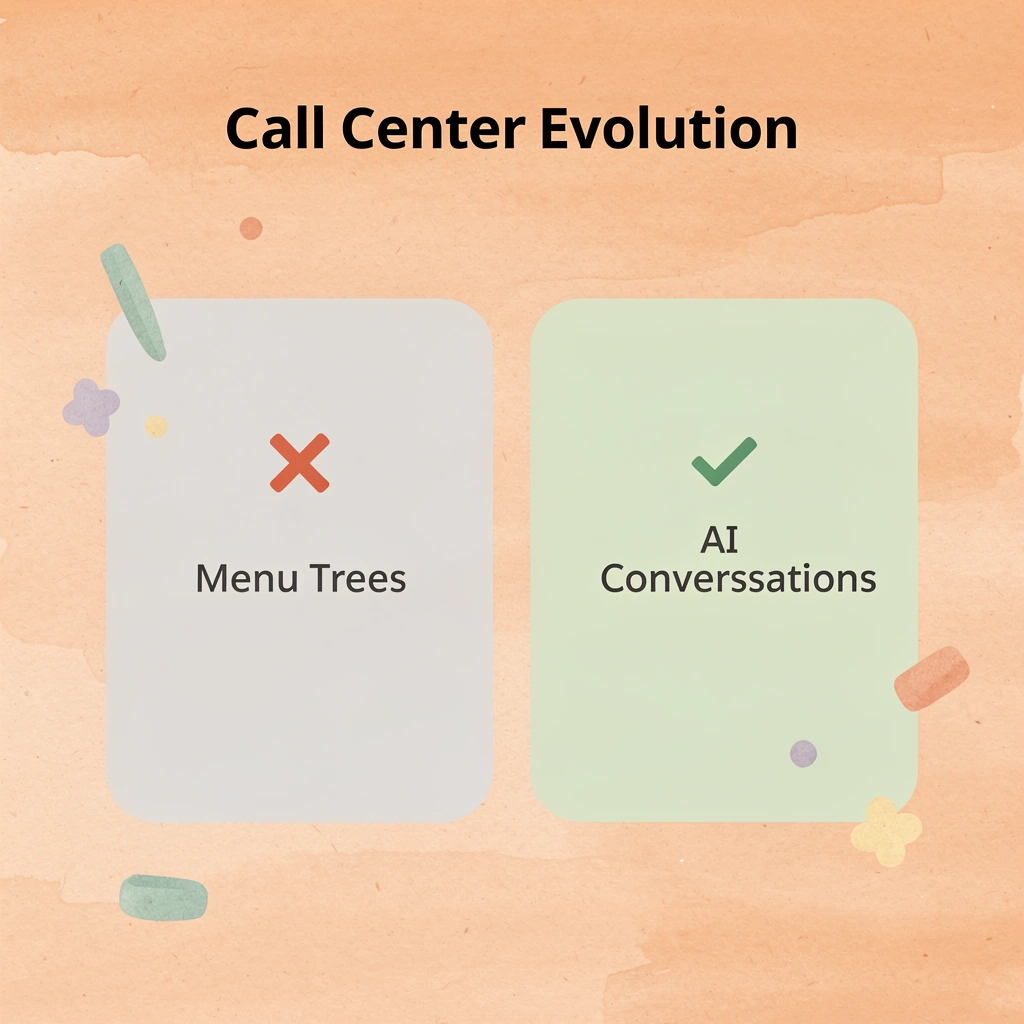
"The gap between what AI can do and what most operations experience comes down to deployment, not capability."
⚠️ Warning: Many call centers implement AI without considering how it integrates with existing workflows, leading to disrupted operations.

Book a short demo to see how this works in your environment. In under 30 minutes, you'll see how Bland handles real customer calls, where it fits into your current system, and what changes immediately when AI is properly deployed. The difference between theory and deployment becomes clear when you watch the technology respond to actual scenarios your team encounters.