Help Desk Chatbot That Resolves IT Issues Instantly

Resolve common IT problems without tickets and cut routine workload for your team. With our chatbot, you get instant password resets, account unlocks, and immediate troubleshooting so employees are productive again in minutes, not hours.
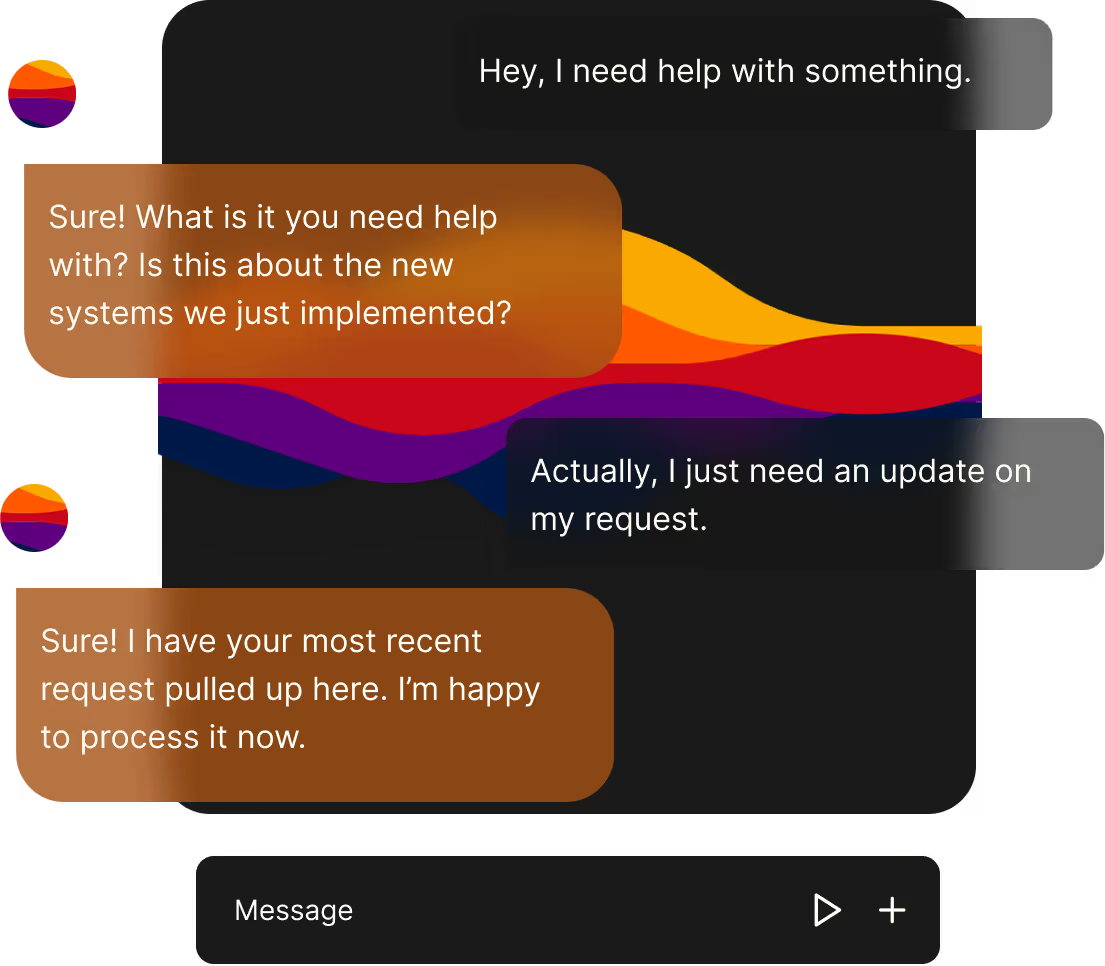

How Help Desk Chatbot resolves issues from identification to resolution
Identify And Verify
The bot detects the problem through conversation and context capture, then verifies identity using your identity provider. This means fewer false starts and faster, secure access to account controls without manual intervention.
Resolve Or Escalate
If the issue matches a known fix the system resolves it automatically, updating your ticketing platform only when necessary. As a result you avoid needless ticket creation while keeping audit trails and escalation paths intact.
Integrations Do The Heavy Lifting
Connect the chatbot to ServiceNow, Zendesk, Active Directory, Okta, or custom systems so actions like password resets and permission changes run via API. The result is real change in backend systems rather than conversational dead ends.
Knowledge Base And Context
The bot consults your knowledge base and troubleshooting guides to deliver consistent, policy-aligned responses. That ensures employees follow approved steps and reduces repeat tickets caused by inconsistent guidance.
Channels Where Employees Already Work
Offer support in Slack, Microsoft Teams, your web portal, or SMS so employees get help where they are. This lowers friction, improves adoption, and shortens time to resolution.
Audit Logging And Confidence Scores
The system records actions and decisions with clear audit logs so teams can review what the bot did and why. Confidence scores help the bot decide when to act and when to escalate, and administrators can tune thresholds over time to match your risk profile.
Tangible outcomes from automating employee IT support

Reduce Ticket Volume By Up To 60-70%
Automate routine tasks so your service desk handles far fewer repetitive requests. The immediate benefit is lower queue pressure and more time for IT to focus on strategic initiatives.

Cut Simple Resolution Time To Minutes
Common issues go from hours of waiting to roughly two minutes to resolution when the bot can act directly. That translates into faster productivity recovery and less frustration for employees.

Lower Operating Cost And Scale Support
Handle spikes, global time zones, and after-hours requests without hiring extra staff. This means predictable support costs and the ability to scale during growth or peak periods.

Improve Employee Experience And Confidence
Employees get instant help and consistent guidance so they feel supported and confident using systems. The result is better morale and fewer follow-up tickets stemming from incomplete fixes.
Capabilities that resolve core IT requests
Account Management
Automate password resets, account unlocks, MFA setup, and permission changes so employees regain access without waiting. This reduces lockout windows and short circuits common interruptions to productivity.
Software Access And Licensing
Handle access requests, license provisioning, and installation guidance through automated flows that update your asset systems. The result is faster onboarding and fewer manual provisioning errors.
Network And Connectivity Troubleshooting
Guide users through VPN fixes, WiFi troubleshooting, and connection restores with step-by-step automated diagnostics. This means fewer walkups and less escalation to network teams.
Hardware And Peripherals
Provide guided printer troubleshooting, peripheral setup, and device configuration so common hardware issues resolve without a ticket. This frees technicians for complex hardware repairs.
Onboarding And Offboarding
Use templated flows to provision new hires and deprovision leavers with consistent checks and documentation. That protects compliance and reduces manual task variability across teams.
Integrate with existing IT systems and deploy in weeks
Ticketing System Integrations
Connect to ServiceNow, Zendesk, Jira Service Management, Freshservice, or custom ticketing systems so the bot updates records when escalation is required. This means maintainable workflows and audit trails without duplicating effort.

Identity And Access Management
Integrate with Active Directory, Okta, Azure AD, or SSO platforms to verify identities and perform password resets securely. That ensures automated actions follow existing access policies and reduce security risk.
Multi-Channel Deployment
Deploy in Slack, Microsoft Teams, web portals, or SMS so employees receive help wherever they work. The result is higher adoption and fewer context switches for users.
Fast Implementation And Self-Hosted Control
Go live in weeks with configurable flows and knowledge base training, and choose self-hosted deployment for maximal control. This approach keeps data within your environment while using cutting-edge automation.
APIs And Developer Tools
Use APIs to send calls, embed agents, and build custom personas that match your support voice. That gives your team the flexibility to extend automation and integrate with internal tooling.
Real results from help desk automation
Measured Results
Customers report autonomous resolution of 60 to 70 percent of routine requests and dramatic reductions in average resolution times. That delivers predictable capacity gains and measurable ROI within months of deployment.
Case Study Snapshot
One customer reduced after-hours tickets and eliminated on-call phone rotations by automating password resets and common access requests. The result was lower operational cost and improved employee satisfaction.
Who Benefits Most
IT directors gain capacity and control, support managers reduce backlog, and employees receive instant help without opening tickets. This solution is especially valuable for distributed teams and organizations with frequent access requests.
Trusted By Diverse Clients
Adopters range from high-growth startups to enterprise IT organizations that need reliable, scalable automation. That diversity shows the approach works across industries and complex environments.
24/7 Support Commitment
We back deployments with a dedicated support team and continuous updates so your bot remains reliable and aligned with changing IT policies. This delivers confidence that your automation will stay accurate and compliant.
Answers to top objections about automation and accuracy
Is The Bot Just Deflecting Tickets
No. The bot is designed to resolve issues when safe and create tickets only for complex cases. That means fewer trivial tickets and preserved escalation paths for human handling.
How Accurate Is Resolution
The system uses your knowledge base and integration context to apply tested remediation steps, and administrators can audit and tune responses. The result is continuous improvement and fewer false fixes over time.
Data Control And Privacy
Choose self-hosted deployment to keep data within your environment while still using advanced automation. This offers full control over access, logging, and compliance posture.
Will Integration Break Existing Workflows
Integrations are designed to augment rather than replace current processes and keep ticketing systems authoritative where required. That minimizes disruption and preserves existing reporting and compliance.
Support And Ongoing Tuning
A dedicated support team helps configure flows, train the bot on your documentation, and iterate based on usage data. This ensures automation continues to meet your evolving needs.
Frequently asked questions about Help Desk Chatbot
What Is A Help Desk Chatbot And What Problems Does It Solve?
A help desk chatbot automates routine IT support so employees get instant help without opening tickets. It resolves tasks like password resets and account unlocks, reduces ticket volume, and restores productivity quickly for distributed teams.
Which Systems Does The Help Desk Chatbot Integrate With?
The bot integrates with major ticketing platforms such as ServiceNow, Zendesk, Jira Service Management, and identity systems like Active Directory, Okta, and Azure AD. These integrations let the bot act on backend systems securely and keep audit trails intact.
How Long Does It Take To Deploy A Help Desk Chatbot?
Typical pilots go live in weeks with focused integration and knowledge base training, while broader rollouts depend on scope. Fast pilots let you measure savings quickly and expand automation in controlled phases.
How Much Ticket Reduction Can I Expect With A Help Desk Chatbot?
Many deployments see 60 to 70 percent of routine requests resolved autonomously when flows are tuned to your knowledge base. Your actual reduction depends on request mix and how many actions you allow the bot to perform.
Can The Help Desk Chatbot Reset Passwords And Unlock Accounts Securely?
Yes. When connected to your identity provider the bot follows your verification policies and performs resets via APIs. This reduces staff intervention while preserving compliance and logging for audits.
Is A Self-Hosted Help Desk Chatbot Available For Data Control?
Self-hosted deployment is supported to keep data inside your environment and meet strict privacy or compliance needs. This option gives you control over logs, retention, and access policies while still leveraging automation.